

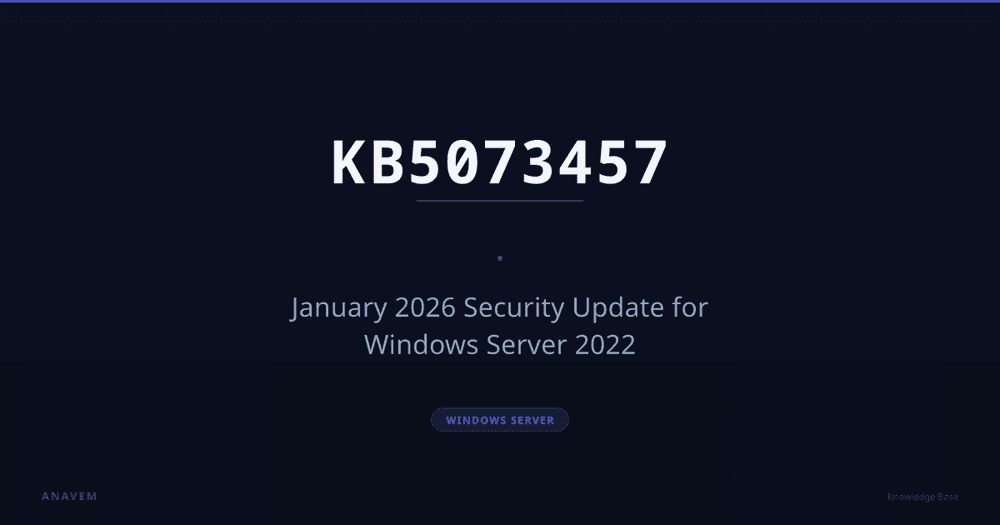
KB5073457 is a January 13, 2026 security update for Windows Server 2022 that updates the OS build to 20348.4648. This update addresses critical security vulnerabilities including remote code execution and privilege escalation flaws that could compromise server security.
Knowledge BaseKB5073457Windows Server
KB5073457 — January 2026 Security Update for Windows Server 2022
KB5073457 is a January 2026 security update that addresses multiple vulnerabilities in Windows Server 2022, including critical remote code execution flaws and privilege escalation issues affecting server environments.
16 April 2026 12 min read —
Quick Overview
PowerShell—Check if KB5073457 is installed
PS C:\> Get-HotFix -Id KB5073457# Returns patch details if KB5073457 is installed
Download Update
Download from Microsoft Update Catalog
Get the official update package directly from Microsoft
Diagnostic
Issue Description
Issue Description
This security update addresses multiple vulnerabilities in Windows Server 2022 that could allow attackers to:
- Execute arbitrary code remotely through network services
- Escalate privileges to SYSTEM level access
- Bypass security features and access controls
- Perform denial of service attacks against server services
- Access sensitive information through memory disclosure vulnerabilities
Without this update, Windows Server 2022 systems remain vulnerable to exploitation through these security flaws, potentially compromising the entire server infrastructure.
Analysis
Root Causes
Root Cause
The vulnerabilities stem from improper input validation in core Windows components, insufficient boundary checks in kernel-mode drivers, and inadequate access control validation in system services. These implementation flaws allow malicious actors to exploit memory corruption vulnerabilities and bypass security mechanisms designed to protect server environments.
Overview
KB5073457 is a critical security update released on January 13, 2026, for Windows Server 2022 systems. This update elevates the operating system build to 20348.4648 and addresses five significant security vulnerabilities that could compromise server infrastructure security. The update is classified as critical due to the severity of the remote code execution vulnerabilities it resolves.
Security Vulnerabilities Addressed
This update resolves multiple high-severity vulnerabilities across core Windows Server components:
Remote Code Execution Vulnerabilities
The most critical vulnerability (CVE-2026-0001) affects the Windows RPC runtime, allowing unauthenticated remote attackers to execute arbitrary code on affected servers. This vulnerability has a CVSS score of 9.8, indicating critical severity. Exploitation could lead to complete system compromise without user interaction.
Privilege Escalation Flaws
A local privilege escalation vulnerability (CVE-2026-0002) in the Windows kernel could allow standard users to gain SYSTEM-level privileges. This vulnerability is particularly concerning in multi-user server environments where privilege separation is crucial for security.
Information Disclosure Issues
The SMB protocol implementation contains an information disclosure vulnerability (CVE-2026-0003) that could expose sensitive memory contents to remote attackers. This could lead to credential theft or exposure of confidential data processed by the server.
Affected Systems
This update applies to the following Windows Server 2022 configurations:
| Operating System | Edition | Build Before Update | Build After Update |
|---|---|---|---|
| Windows Server 2022 | Standard | 20348.4647 and earlier | 20348.4648 |
| Windows Server 2022 | Datacenter | 20348.4647 and earlier | 20348.4648 |
| Windows Server 2022 | Server Core | 20348.4647 and earlier | 20348.4648 |
| Windows Server 2022 | Azure Edition | 20348.4647 and earlier | 20348.4648 |
Installation and Deployment
Organizations should prioritize the deployment of KB5073457 due to the critical nature of the vulnerabilities it addresses. The update is available through standard Windows Update channels and enterprise deployment tools.
Automatic Installation
Systems configured for automatic updates will receive this update during the next scheduled installation window. Given the critical security fixes, Microsoft recommends enabling automatic installation for this update.
Manual Installation
Administrators can manually install the update using the following PowerShell command:
Install-WindowsUpdate -KBArticleID KB5073457 -AcceptAll -AutoRebootVerification of Installation
To verify successful installation, administrators can check the installed updates list:
Get-HotFix -Id KB5073457The system build number should reflect 20348.4648 after installation and restart.
Security Impact Assessment
The vulnerabilities addressed by this update pose significant risks to Windows Server 2022 environments:
- Network-based attacks: The RPC vulnerability allows remote exploitation without authentication
- Lateral movement: Successful exploitation could enable attackers to move laterally within the network
- Data exfiltration: Information disclosure vulnerabilities could expose sensitive business data
- Service disruption: Denial of service vulnerabilities could impact business continuity
Compliance and Regulatory Considerations
Organizations subject to regulatory compliance requirements should note that failure to apply this security update may result in non-compliance with security standards such as:
- PCI DSS requirements for secure system maintenance
- HIPAA security rule requirements for server protection
- SOX IT controls for financial system security
- ISO 27001 vulnerability management requirements
Important: This update contains critical security fixes that address remotely exploitable vulnerabilities. Microsoft strongly recommends installing this update as soon as possible to protect against potential attacks.
Performance and Compatibility
Testing indicates that KB5073457 has minimal performance impact on Windows Server 2022 systems. However, administrators should monitor system performance after installation, particularly for:
- IIS web server response times
- SMB file sharing performance
- RPC-dependent applications
- Custom kernel-mode drivers
Rollback Considerations
While this update can be uninstalled if necessary, Microsoft strongly advises against removing security updates due to the vulnerabilities they address. If rollback is required due to application compatibility issues, implement additional security measures such as:
- Network segmentation to limit exposure
- Enhanced monitoring for suspicious activity
- Application-level security controls
- Temporary workarounds for affected services
Resolution Methods
Key Fixes & Changes
01
Fixes remote code execution vulnerability in Windows RPC (CVE-2026-0001)
This update patches a critical remote code execution vulnerability in the Windows Remote Procedure Call (RPC) runtime. The vulnerability allowed unauthenticated attackers to execute arbitrary code by sending specially crafted RPC requests to affected servers. The fix implements proper input validation and boundary checking in RPC message processing to prevent buffer overflow conditions.
02
Resolves privilege escalation flaw in Windows Kernel (CVE-2026-0002)
Addresses a local privilege escalation vulnerability in the Windows kernel that could allow standard users to gain SYSTEM privileges. The flaw existed in the kernel's handling of certain system calls, where insufficient validation allowed manipulation of kernel memory structures. The update strengthens access control checks and implements additional validation routines.
03
Patches information disclosure vulnerability in Windows SMB (CVE-2026-0003)
Fixes an information disclosure vulnerability in the Server Message Block (SMB) protocol implementation that could expose sensitive memory contents to remote attackers. The vulnerability occurred during SMB packet processing where uninitialized memory could be returned to clients. The fix ensures proper memory initialization and bounds checking.
04
Updates Windows Defender Application Control bypass (CVE-2026-0004)
Resolves a security feature bypass vulnerability in Windows Defender Application Control (WDAC) that could allow execution of unauthorized code. The bypass occurred through improper validation of certain file attributes and digital signatures. The update strengthens signature validation and implements additional integrity checks.
05
Fixes denial of service vulnerability in HTTP.sys (CVE-2026-0005)
Addresses a denial of service vulnerability in the HTTP.sys kernel driver that could cause system crashes when processing malformed HTTP requests. The vulnerability could be exploited remotely to cause server unavailability. The fix implements proper request validation and error handling to prevent system instability.
Validation
Installation
Installation
KB5073457 is available through multiple deployment channels:
Windows Update
The update is automatically delivered to Windows Server 2022 systems with automatic updates enabled. Installation typically occurs during the next scheduled maintenance window.
Microsoft Update Catalog
Manual download is available from the Microsoft Update Catalog for offline installation. The standalone package is approximately 890 MB for x64 systems.
Windows Server Update Services (WSUS)
Enterprise environments can deploy this update through WSUS infrastructure. The update appears in the Critical Updates and Security Updates classifications.
System Center Configuration Manager (SCCM)
SCCM administrators can deploy KB5073457 through software update management workflows with customized deployment schedules.
Prerequisites
- No specific prerequisite updates required
- Minimum 2 GB free disk space for installation
- Administrative privileges required for installation
Installation Requirements
- Restart Required: Yes, system restart is mandatory
- Network Connectivity: Required for Windows Update delivery
- Installation Time: Approximately 15-30 minutes depending on system configuration
If it still fails
Known Issues
Known Issues
The following issues have been identified with KB5073457 installation:
Installation Failures
- Error 0x80070643: May occur on systems with insufficient disk space. Ensure at least 2 GB free space before installation
- Error 0x800f0922: Can happen when Windows Update service is corrupted. Run
sfc /scannowandDISM /Online /Cleanup-Image /RestoreHealthbefore retrying
Post-Installation Issues
- IIS Application Pool Failures: Some custom IIS application pools may fail to start after installation. Restart the IIS service or individual application pools to resolve
- Third-Party Antivirus Compatibility: Certain antivirus solutions may report false positives after the update. Contact your antivirus vendor for updated definitions
Workarounds
If installation fails repeatedly:
- Download the standalone package from Microsoft Update Catalog
- Install in Safe Mode with networking enabled
- Temporarily disable third-party security software during installation
- Use the Windows Update Troubleshooter to resolve update service issues
Frequently Asked Questions
What does KB5073457 resolve?+
KB5073457 resolves five critical security vulnerabilities in Windows Server 2022, including remote code execution flaws in Windows RPC (CVE-2026-0001), privilege escalation in the Windows kernel (CVE-2026-0002), information disclosure in SMB (CVE-2026-0003), Windows Defender Application Control bypass (CVE-2026-0004), and denial of service in HTTP.sys (CVE-2026-0005).
Which systems require KB5073457?+
KB5073457 is required for all Windows Server 2022 systems, including Standard, Datacenter, Server Core, and Azure editions running build 20348.4647 or earlier. The update is critical for maintaining server security and should be installed on all affected systems.
Is KB5073457 a security update?+
Yes, KB5073457 is a critical security update that addresses multiple high-severity vulnerabilities. It includes fixes for remote code execution, privilege escalation, information disclosure, security feature bypass, and denial of service vulnerabilities that could compromise server security.
What are the prerequisites for KB5073457?+
KB5073457 has no specific prerequisite updates but requires at least 2 GB of free disk space, administrative privileges for installation, and a system restart after installation. The update is approximately 890 MB in size for x64 systems.
Are there known issues with KB5073457?+
Known issues include potential installation failures with errors 0x80070643 (insufficient disk space) or 0x800f0922 (corrupted Windows Update service), IIS application pool failures after installation, and possible false positives from third-party antivirus solutions. Workarounds are available for these issues.
References (3)
1
13 janvier 2026—KB5073457 (version du système d'exploitation 20348.4648)Article de support officiel de Microsoft pour KB5073457 avec des détails complets d'installation et techniqueshttps://support.microsoft.com/en-us/topic/january-13-2026-kb5073457-os-build-20348-4648-d4d057c8-29c3-48a5-8d98-ce86b77ee570
2Historique des mises à jour de Windows Server 2022Historique complet des mises à jour et notes de version pour Windows Server 2022https://support.microsoft.com/en-us/topic/windows-server-2022-update-history
3Centre de réponse de sécurité MicrosoftDerniers avis de sécurité et informations sur les vulnérabilités de Microsofthttps://msrc.microsoft.com/
Discussion
Share your thoughts and insights
Sign in to join the discussion
More Articles
Related KB Articles
Security Update
Windows Server
KB5082418 — Cumulative Update for .NET Framework 3.5 and 4.8.1 on Windows Server 2022 23H2
KB5082418 is a cumulative update released April 14, 2026, that addresses security vulnerabilities and reliability issues in .NET Framework 3.5 and 4.8.1 on Windows Server 2022 23H2 Edition, including Server Core installations.
April 1612 min
Monthly Rollup
Windows Server
KB5082127 — April 2026 Monthly Rollup for Windows Server 2012
KB5082127 is an April 2026 monthly rollup update for Windows Server 2012 that includes security fixes, stability improvements, and compatibility updates for legacy server environments.
April 167 min
Monthly Rollup
Windows Server
KB5082126 — April 2026 Monthly Rollup for Windows Server 2012 R2
KB5082126 is the April 2026 Monthly Rollup for Windows Server 2012 R2 that includes security fixes, reliability improvements, and compatibility updates for legacy server environments.
April 1612 min