Kali Linux 2026.1 Delivers BackTrack Revival and Tool Expansion
Offensive Security released Kali Linux 2026.1 on March 25, 2026, marking the first quarterly update of the penetration testing distribution for the year. The release introduces a significant nostalgic feature with BackTrack mode integration into the existing Kali-Undercover framework, alongside eight new security tools and comprehensive theme updates across the desktop environment.
The BackTrack mode represents a deliberate callback to the predecessor distribution that many security professionals remember from the early 2010s. BackTrack Linux served as the foundation for what eventually became Kali Linux when Offensive Security transitioned the project in 2013. This new mode operates within the Kali-Undercover system, which originally launched to help security professionals blend into corporate environments by mimicking standard desktop appearances during authorized penetration tests.
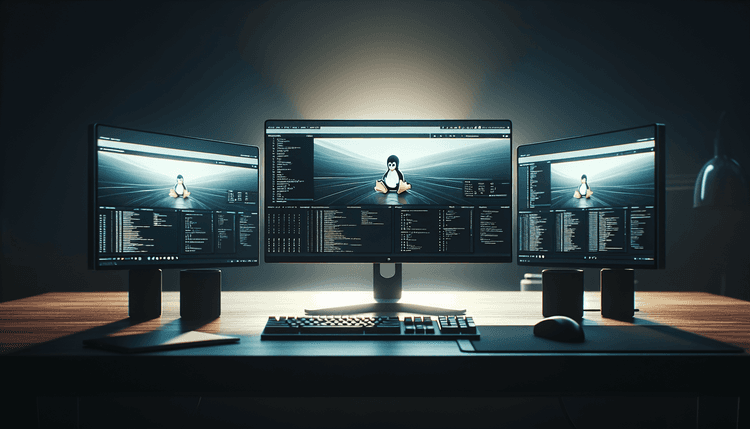
Kali-Undercover debuted in 2019 as a stealth mode that transforms the distinctive Kali Linux interface into something resembling a standard Ubuntu or Windows desktop. The addition of BackTrack mode extends this concept by providing an interface that mirrors the classic BackTrack Linux aesthetic, complete with the familiar dark themes and menu structures that defined the original distribution. Security professionals conducting authorized assessments can now switch between multiple interface modes depending on their operational requirements.
The eight new tools span multiple categories of security testing, from network reconnaissance to web application assessment. Each tool underwent Offensive Security's standard integration process, which includes packaging for the Debian-based Kali repositories, documentation updates, and compatibility testing across the distribution's supported architectures. The development team maintains strict criteria for tool inclusion, focusing on utilities that provide unique capabilities or significant improvements over existing alternatives in the Kali toolkit.
Related: Ubuntu 26.04 LTS Changes 40-Year sudo Password Display
Related: Betterleaks Tool Scans Git Repos for Exposed Secrets
Related: GitHub Discovery App Surfaces Hidden Open-Source Projects
Related: Debian 13.4 Released with Security Fixes and Bug Patches
Theme refreshes affect both the standard Kali desktop environment and the various undercover modes. The updates include refined color schemes, updated iconography, and improved contrast ratios for better visibility during extended testing sessions. These visual improvements complement the functional additions while maintaining the professional appearance that security practitioners expect from their primary testing platform.
Security Professionals and Penetration Testing Teams Benefit from Enhanced Capabilities
The Kali Linux 2026.1 release primarily targets cybersecurity professionals, penetration testers, security researchers, and ethical hackers who rely on the distribution for authorized security assessments. Organizations conducting internal security audits, third-party security firms performing client engagements, and academic institutions teaching cybersecurity courses represent the core user base for these enhancements.
Existing Kali Linux users across all supported architectures can upgrade to version 2026.1 through the standard package management system. The distribution supports x86_64, ARM64, and various ARM architectures, ensuring compatibility with laptops, desktop systems, single-board computers like Raspberry Pi devices, and specialized hardware used in security testing scenarios. Users running Kali Linux in virtual machines, containers, or as Windows Subsystem for Linux installations can also access the new features through standard update procedures.
The BackTrack mode particularly benefits security professionals working in environments where the distinctive Kali Linux appearance might draw unwanted attention during authorized testing activities. Corporate penetration testers, red team operators, and security consultants conducting on-site assessments can leverage this feature to maintain operational security while accessing the full Kali toolkit. The mode proves especially valuable in open office environments, client locations, or shared workspaces where discretion remains paramount.
Educational institutions and training organizations teaching penetration testing methodologies gain access to both modern Kali capabilities and the nostalgic BackTrack interface that many instructors and students recognize from cybersecurity history. This dual approach supports both current best practices and historical context in cybersecurity education programs.
Upgrading to Kali Linux 2026.1 and Accessing New Features
Existing Kali Linux users can upgrade to version 2026.1 using the standard APT package management commands. The upgrade process begins with updating the package lists using 'sudo apt update' followed by 'sudo apt full-upgrade' to install all available updates including the new tools and interface components. Users should ensure adequate disk space before beginning the upgrade process, as the new tools and theme assets require additional storage capacity.
Fresh installations of Kali Linux 2026.1 are available through the official Kali Linux download portal, with ISO images provided for various architectures and installation scenarios. The distribution offers live boot options for temporary usage, full installation packages for permanent deployment, and specialized images for cloud platforms and virtual machine environments. Users can verify download integrity using the provided SHA256 checksums and GPG signatures before installation.
Accessing the new BackTrack mode requires navigating to the Kali-Undercover settings panel, typically found in the system settings menu or accessible through the command line interface. The mode selection interface allows users to switch between standard Kali appearance, various undercover themes mimicking popular operating systems, and the new BackTrack classic interface. Changes take effect immediately without requiring system restarts, enabling rapid switching between modes during active security assessments.
The eight new security tools integrate into existing menu categories within the Kali Linux application structure. Users can locate new additions through the applications menu, command-line tab completion, or by consulting the updated Kali Linux documentation that details each tool's capabilities, usage scenarios, and integration points with existing workflows. Tool-specific documentation includes command syntax, common use cases, and integration examples with popular penetration testing methodologies like OWASP Testing Guide procedures and NIST Cybersecurity Framework assessments.