ANAVEM
Languagefr
Windows server monitoring displays showing database recovery and system health status in a professional data center environment
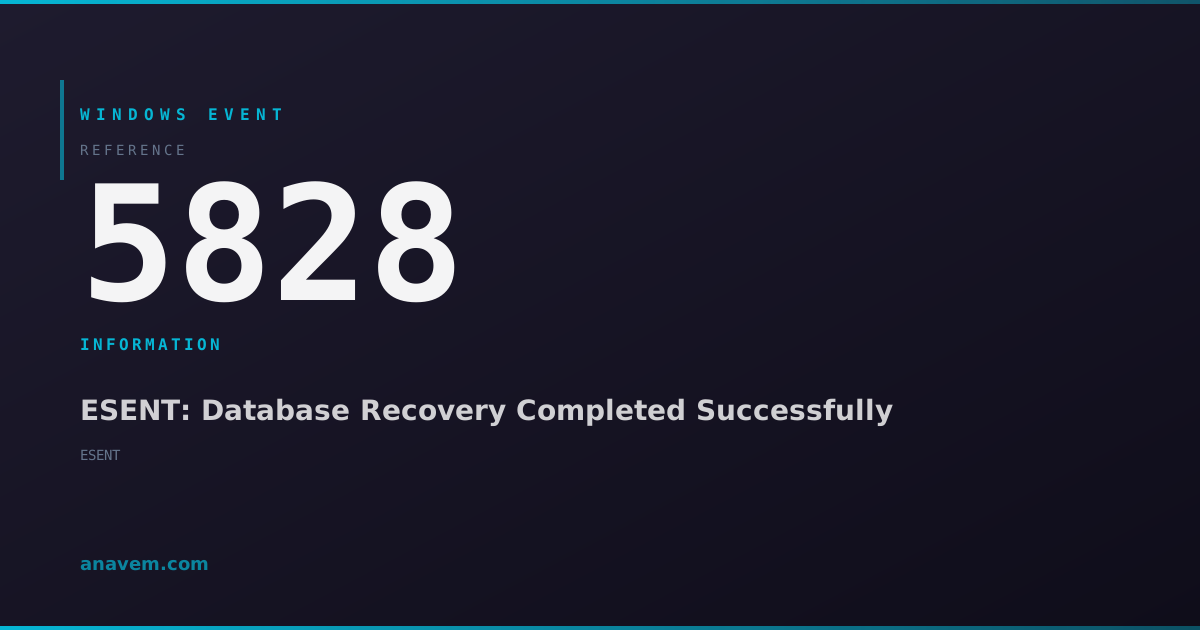
Event ID 5828InformationESENTWindows

Windows Event ID 5828 – ESENT: Database Recovery Completed Successfully

Event ID 5828 indicates that the Extensible Storage Engine (ESENT) has successfully completed database recovery operations, typically after an unexpected shutdown or crash.

Emanuel DE ALMEIDAEmanuel DE ALMEIDA
18 March 20269 min read 0
Event ID 5828ESENT 5 methods 9 min
Event Reference

What This Event Means

Event ID 5828 represents a successful completion of ESENT database recovery operations. The Extensible Storage Engine is a low-level database engine that provides ACID (Atomicity, Consistency, Isolation, Durability) transaction support for various Windows components. When Windows experiences an unexpected shutdown, ESENT databases may be left in an inconsistent state with uncommitted transactions.

During the next system startup, ESENT automatically initiates recovery procedures to restore database consistency. This process involves replaying transaction logs, rolling back uncommitted transactions, and ensuring all committed data is properly written to the database files. Event 5828 confirms that this recovery process completed successfully without data loss or corruption.

The event typically includes details about which database underwent recovery, the duration of the recovery process, and the number of log files processed. This information helps administrators assess the scope of the recovery operation and identify patterns that might indicate recurring system issues. In 2026, with enhanced telemetry and improved recovery algorithms, ESENT recovery operations are more efficient and provide better diagnostic information than previous versions.

Applies to

Windows 10Windows 11Windows Server 2019/2022/2025
Analysis

Possible Causes

  • System crash or blue screen of death (BSOD) during database operations
  • Unexpected power loss or forced shutdown while databases are active
  • Hardware failures affecting storage subsystems during write operations
  • Service crashes of applications using ESENT databases (Active Directory, Windows Search)
  • Disk space exhaustion causing incomplete transaction commits
  • Storage driver issues or disk errors during database write operations
  • Memory corruption affecting database buffer pools
  • Antivirus software interfering with database file access
Resolution Methods

Troubleshooting Steps

01

Review Event Details in Event Viewer

Start by examining the specific details of Event ID 5828 to understand which database recovered and the recovery duration.

  1. Open Event Viewer by pressing Win + R, typing eventvwr.msc, and pressing Enter
  2. Navigate to Windows LogsApplication
  3. Filter for Event ID 5828 by right-clicking the Application log and selecting Filter Current Log
  4. Enter 5828 in the Event IDs field and click OK
  5. Double-click on recent Event ID 5828 entries to view detailed information
  6. Note the database path, recovery duration, and any additional context in the event description

Use PowerShell to query multiple 5828 events for pattern analysis:

Get-WinEvent -FilterHashtable @{LogName='Application'; Id=5828} -MaxEvents 50 | Select-Object TimeCreated, Message | Format-Table -Wrap
02

Check System Event Log for Correlating Events

Investigate the System log for events that occurred before the database recovery to identify the root cause of the unexpected shutdown.

  1. In Event Viewer, navigate to Windows LogsSystem
  2. Look for events around the same timeframe as Event ID 5828, particularly:
    • Event ID 1074 (system shutdown/restart)
    • Event ID 6008 (unexpected shutdown)
    • Event ID 41 (kernel power events)
    • Event ID 1001 (Windows Error Reporting)
  3. Use PowerShell to correlate events within a specific timeframe:
# Get events from 1 hour before the most recent 5828 event
$LastRecovery = Get-WinEvent -FilterHashtable @{LogName='Application'; Id=5828} -MaxEvents 1
$StartTime = $LastRecovery.TimeCreated.AddHours(-1)
Get-WinEvent -FilterHashtable @{LogName='System'; StartTime=$StartTime; EndTime=$LastRecovery.TimeCreated} | Where-Object {$_.Id -in @(1074,6008,41,1001)} | Select-Object TimeCreated, Id, LevelDisplayName, Message
03

Monitor ESENT Database Health and Performance

Use built-in tools to monitor ESENT database health and identify potential issues before they cause recovery events.

  1. Enable ESENT diagnostic logging by modifying the registry:
# Enable detailed ESENT logging (requires restart)
Set-ItemProperty -Path "HKLM\SYSTEM\CurrentControlSet\Services\ESENT\Parameters" -Name "Enable Logging" -Value 1 -Type DWord
Set-ItemProperty -Path "HKLM\SYSTEM\CurrentControlSet\Services\ESENT\Parameters" -Name "Log Level" -Value 3 -Type DWord
  1. Monitor ESENT performance counters using Performance Monitor:
    • Open Performance Monitor (perfmon.exe)
    • Add counters from Database object for ESENT instances
    • Monitor key metrics: Database Cache Hit Ratio, Log Record Stalls/sec, Database Page Faults/sec
  2. Use PowerShell to check database file integrity:
# Check common ESENT database locations for file integrity
$ESENTDatabases = @(
    "$env:SystemRoot\SoftwareDistribution\DataStore\DataStore.edb",
    "$env:SystemRoot\System32\CatRoot2\dberr.txt"
)
foreach ($db in $ESENTDatabases) {
    if (Test-Path $db) {
        Get-ChildItem $db | Select-Object Name, Length, LastWriteTime
    }
}
04

Analyze Storage Subsystem and Hardware Health

Investigate underlying storage and hardware issues that may be causing unexpected shutdowns leading to database recovery events.

  1. Check disk health using built-in Windows tools:
# Check disk health for all drives
Get-PhysicalDisk | Get-StorageReliabilityCounter | Select-Object DeviceId, Temperature, ReadErrorsTotal, WriteErrorsTotal

# Run CHKDSK on system drive (requires elevation)
chkdsk C: /f /r /x
  1. Review Windows Hardware Error Architecture (WHEA) logs:
# Check for hardware errors that might cause system instability
Get-WinEvent -FilterHashtable @{LogName='System'; ProviderName='Microsoft-Windows-WHEA-Logger'} -MaxEvents 20 | Select-Object TimeCreated, Id, LevelDisplayName, Message
  1. Monitor system temperature and power events:
    • Check Event Viewer for Kernel-Power events (Event ID 41)
    • Use powercfg /energy to analyze power efficiency issues
    • Review manufacturer-specific hardware monitoring tools
  2. Verify storage driver versions and update if necessary:
# List storage drivers and their versions
Get-WmiObject Win32_PnPSignedDriver | Where-Object {$_.DeviceClass -eq "SCSI" -or $_.DeviceClass -eq "HDC"} | Select-Object DeviceName, DriverVersion, DriverDate
05

Implement Proactive Monitoring and Prevention

Set up comprehensive monitoring to prevent future unexpected shutdowns and minimize database recovery events.

  1. Create a scheduled task to monitor Event ID 5828 frequency:
# Create a PowerShell script to monitor 5828 events
$ScriptContent = @'
$Events = Get-WinEvent -FilterHashtable @{LogName="Application"; Id=5828; StartTime=(Get-Date).AddDays(-1)} -ErrorAction SilentlyContinue
if ($Events.Count -gt 5) {
    Write-EventLog -LogName Application -Source "Custom Monitor" -EventId 9999 -EntryType Warning -Message "High frequency of ESENT recovery events detected: $($Events.Count) in last 24 hours"
}
'@
$ScriptContent | Out-File -FilePath "C:\Scripts\Monitor-ESENTRecovery.ps1" -Encoding UTF8
  1. Configure Windows Error Reporting to capture crash dumps:
# Enable automatic crash dump collection
Set-ItemProperty -Path "HKLM\SYSTEM\CurrentControlSet\Control\CrashControl" -Name "CrashDumpEnabled" -Value 2
Set-ItemProperty -Path "HKLM\SYSTEM\CurrentControlSet\Control\CrashControl" -Name "AutoReboot" -Value 0
  1. Implement UPS monitoring if using uninterruptible power supplies:
    • Install UPS management software
    • Configure graceful shutdown procedures
    • Set up alerts for power events
  2. Create a custom Windows Event subscription for centralized monitoring:
# Save as ESENTRecovery.xml and import with wecutil cs ESENTRecovery.xml
<Subscription xmlns="http://schemas.microsoft.com/2006/03/windows/events/subscription">
  <SubscriptionId>ESENTRecoveryMonitor</SubscriptionId>
  <Query>
    <Select Path="Application">*[System[EventID=5828]]</Select>
  </Query>
  <Description>Monitor ESENT database recovery events</Description>
</Subscription>

Overview

Event ID 5828 fires when the Extensible Storage Engine (ESENT) successfully completes database recovery operations. ESENT is Microsoft's embedded database engine used by numerous Windows components including Active Directory, Windows Search, Windows Update, and various system services. This event typically appears in the Application log after Windows recovers from an unexpected shutdown, power failure, or system crash.

The event indicates that ESENT has successfully replayed transaction logs and restored database consistency for one or more databases. While this is generally a positive outcome showing successful recovery, frequent occurrences may indicate underlying system stability issues that require investigation. The event provides valuable forensic information about database recovery operations and can help administrators understand the impact of system interruptions on database-driven services.

Understanding this event is crucial for maintaining system reliability, especially in enterprise environments where database integrity directly impacts service availability and user experience.

Frequently Asked Questions

What does Event ID 5828 mean and should I be concerned?+
Event ID 5828 indicates that ESENT successfully completed database recovery after an unexpected system interruption. While the recovery itself is positive (no data was lost), frequent occurrences suggest underlying system stability issues like power problems, hardware failures, or software crashes that need investigation. A single occurrence after a known system restart is normal, but multiple events per week warrant deeper analysis.
Which Windows services and applications use ESENT databases that could trigger this event?+
ESENT is used by numerous Windows components including Active Directory Domain Services, Windows Search indexer, Windows Update client, Internet Information Services (IIS), Exchange Server, Windows Security Center, and various system services. The event message typically identifies which specific database underwent recovery, helping you determine which service was affected by the unexpected shutdown.
How can I prevent Event ID 5828 from occurring frequently?+
Prevention focuses on eliminating unexpected shutdowns: ensure reliable power supply with UPS systems, maintain proper system cooling, keep hardware drivers updated, run regular disk health checks, monitor system stability, and address any recurring blue screens or application crashes. Additionally, configure proper shutdown procedures and avoid forced power-offs whenever possible.
Does Event ID 5828 indicate data loss or corruption?+
No, Event ID 5828 specifically indicates successful recovery without data loss. ESENT's transaction logging ensures that committed data is preserved and uncommitted transactions are properly rolled back. However, any work that wasn't saved or committed before the unexpected shutdown would be lost, which is normal behavior for any database system during unexpected interruptions.
How long should ESENT database recovery take, and when should I be concerned about recovery duration?+
Recovery duration depends on database size, transaction log volume, and storage performance. Typical recovery takes seconds to a few minutes. Recovery times exceeding 10-15 minutes may indicate storage performance issues, large transaction logs, or hardware problems. The event details include recovery duration, which helps establish baselines and identify performance degradation over time.
Documentation

References (2)

Emanuel DE ALMEIDA
Written by

Emanuel DE ALMEIDA

Senior IT Journalist & Cloud Architect

Microsoft MCSA-certified Cloud Architect | Fortinet-focused. I modernize cloud, hybrid & on-prem infrastructure for reliability, security, performance and cost control - sharing field-tested ops & troubleshooting.

Discussion

Share your thoughts and insights

You must be logged in to comment.

Loading comments...