Your Windows 11 system just received a mysterious update labeled "K2 Architecture Enhancement." Within hours, you notice applications launching faster, system resources being managed more efficiently, and new security features appearing in your settings. What exactly is Windows K2, and why is Microsoft calling it the most significant Windows evolution since the NT kernel?
Windows K2 represents Microsoft's ambitious attempt to modernize the Windows operating system architecture while maintaining backward compatibility with decades of legacy applications. Introduced as a gradual rollout beginning in late 2025, K2 isn't a new version of Windows but rather a fundamental reimagining of how Windows manages system resources, security, and application execution.
The "K2" codename, internally referencing the world's second-highest mountain, symbolizes Microsoft's goal to reach new heights in operating system design while acknowledging that perfection (K1, or Mount Everest) remains an ongoing journey. This architectural overhaul addresses long-standing Windows limitations including memory management inefficiencies, security vulnerabilities, and the growing complexity of modern computing workloads.
What is Windows K2?
Windows K2 is a hybrid kernel architecture that combines microkernel principles with the performance benefits of monolithic kernels. Unlike traditional Windows NT architecture, K2 introduces containerized system services, hardware-abstracted security domains, and AI-driven resource optimization. The system maintains full compatibility with existing Windows applications while providing enhanced isolation, security, and performance.
Think of Windows K2 as renovating a historic building while people continue living in it. The foundation and core structure are completely rebuilt using modern engineering principles, but residents can still use their existing furniture and daily routines without disruption. K2 achieves this by implementing a compatibility layer that translates legacy system calls into the new architecture seamlessly.
The architecture introduces three primary components: the K2 Hypervisor for hardware abstraction, the Service Mesh for inter-process communication, and the Adaptive Resource Manager for dynamic system optimization. These components work together to provide better security isolation, improved performance scaling, and enhanced system reliability compared to traditional Windows implementations.
How does Windows K2 work?
Windows K2 operates through a layered architecture that fundamentally changes how the operating system manages hardware resources and application execution. The system implements a sophisticated abstraction model that separates concerns while maintaining performance.
The K2 Hypervisor forms the foundational layer, running directly on hardware and providing virtualized access to system resources. Unlike traditional hypervisors designed for virtual machines, the K2 Hypervisor is optimized for native operating system operations, providing hardware abstraction without the typical performance penalties associated with virtualization.
Above the hypervisor, the Service Mesh manages all system services and inter-process communication. Each system service runs in its own isolated container with strictly defined resource limits and communication channels. This containerization prevents service failures from cascading throughout the system and enables fine-grained security policies for each component.
The Adaptive Resource Manager continuously monitors system performance and automatically adjusts resource allocation based on current workloads and historical usage patterns. Using machine learning algorithms, it predicts application resource needs and pre-allocates memory, CPU time, and I/O bandwidth to prevent performance bottlenecks before they occur.
Application compatibility is maintained through the Legacy Translation Layer, which intercepts traditional Windows API calls and translates them into K2-native operations. This translation happens at the kernel level, ensuring that existing applications run without modification while benefiting from K2's enhanced security and performance features.
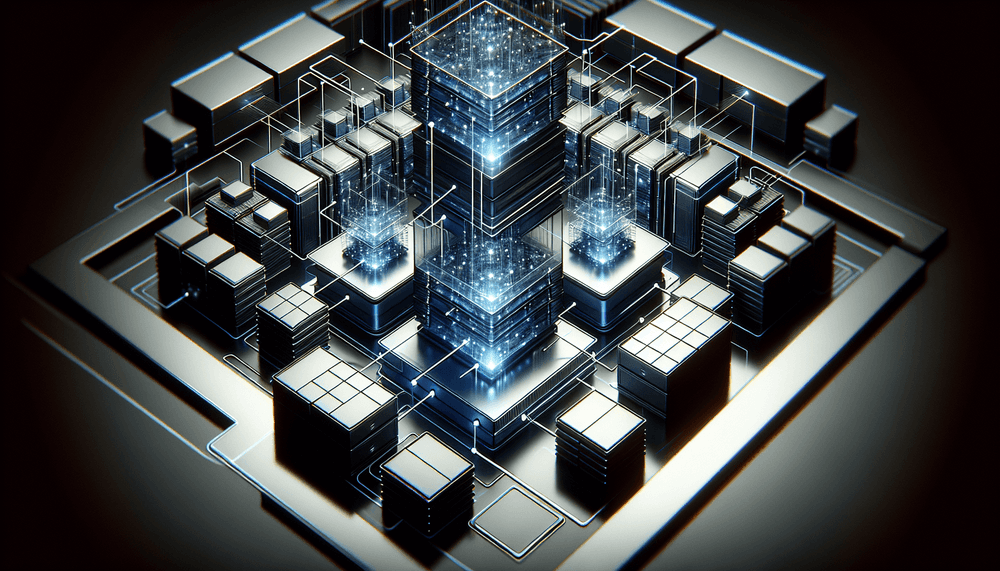
A visual representation of this architecture would show the K2 Hypervisor as the base layer interfacing with hardware, the Service Mesh as a network of interconnected containers in the middle layer, and applications running in isolated execution environments at the top, all coordinated by the Adaptive Resource Manager that spans across all layers.
What is Windows K2 used for?
Enterprise Security Enhancement
Large corporations deploy Windows K2 to achieve zero-trust security architectures within their desktop environments. Each application and system service operates in its own security domain with cryptographically verified communication channels. Financial institutions particularly benefit from K2's ability to isolate sensitive applications like trading platforms or banking software from other system components, preventing lateral movement in case of security breaches.
High-Performance Computing Workstations
Engineering firms and research institutions utilize K2's adaptive resource management for CAD applications, scientific simulations, and data analysis workloads. The system's ability to dynamically allocate resources based on application demands allows complex computational tasks to access maximum system resources when needed while ensuring system responsiveness for other applications.
Gaming and Content Creation
Gaming enthusiasts and content creators leverage K2's optimized resource scheduling to achieve consistent frame rates and reduced latency. The architecture's ability to prioritize real-time applications while managing background processes makes it ideal for streaming, video editing, and competitive gaming scenarios where performance consistency is critical.
Cloud Desktop Infrastructure
Organizations implementing virtual desktop infrastructure (VDI) use K2's containerization features to run multiple isolated desktop sessions on single hardware platforms. The architecture's efficient resource sharing and security isolation make it possible to achieve higher user density per server while maintaining security boundaries between different users or departments.
Development and Testing Environments
Software development teams employ K2's isolation capabilities to create reproducible development environments. Developers can run multiple versions of development tools, databases, and runtime environments simultaneously without conflicts, while the system's snapshot and rollback capabilities enable rapid testing and debugging workflows.
Advantages and disadvantages of Windows K2
Advantages:
- Enhanced Security: Containerized services and hardware-level isolation provide superior protection against malware and system compromises compared to traditional Windows architecture.
- Improved Performance: AI-driven resource management and optimized kernel design deliver measurable improvements in application launch times, memory usage, and overall system responsiveness.
- Better Stability: Service isolation prevents individual component failures from affecting the entire system, significantly reducing blue screen errors and system crashes.
- Backward Compatibility: Existing Windows applications run without modification, protecting enterprise software investments while providing modern architecture benefits.
- Scalable Resource Management: Dynamic resource allocation adapts to changing workloads automatically, optimizing performance for both single-threaded and multi-threaded applications.
- Advanced Debugging: Containerized services and detailed telemetry provide developers and system administrators with unprecedented visibility into system behavior and performance bottlenecks.
Disadvantages:
- Increased Complexity: The layered architecture introduces additional complexity for system administrators and developers who need to understand new concepts and management tools.
- Higher Resource Overhead: Containerization and abstraction layers consume additional memory and CPU resources, potentially impacting performance on older or resource-constrained systems.
- Learning Curve: IT professionals must acquire new skills and knowledge to effectively manage and troubleshoot K2-based systems, requiring significant training investments.
- Compatibility Edge Cases: Some legacy applications with deep system integration or custom drivers may experience compatibility issues or reduced performance through the translation layer.
- Limited Third-Party Support: Hardware vendors and software developers are still adapting their products to fully leverage K2 features, limiting immediate benefits for specialized applications.
Windows K2 vs Windows NT Architecture
The comparison between Windows K2 and traditional Windows NT architecture reveals fundamental differences in design philosophy and implementation approach. Understanding these differences helps IT professionals make informed decisions about adoption and migration strategies.
| Aspect | Windows NT Architecture | Windows K2 |
|---|---|---|
| Kernel Design | Hybrid monolithic kernel | Containerized microkernel with hypervisor |
| Service Isolation | Process-based separation | Hardware-enforced containers |
| Resource Management | Static allocation with manual tuning | AI-driven adaptive allocation |
| Security Model | Access control lists and privileges | Zero-trust with cryptographic verification |
| Memory Management | Virtual memory with paging | Containerized memory domains |
| Driver Architecture | Kernel-mode drivers | User-mode drivers with hardware abstraction |
| System Recovery | System restore and safe mode | Container rollback and live migration |
The most significant difference lies in security architecture. While Windows NT relies on access control mechanisms that can be bypassed through privilege escalation, K2 implements hardware-enforced isolation that makes lateral movement between system components nearly impossible. This fundamental shift addresses many of the security vulnerabilities that have plagued Windows systems for decades.
Performance characteristics also differ substantially. NT architecture requires manual tuning and configuration for optimal performance, while K2's adaptive management automatically optimizes resource allocation based on real-time analysis of system behavior and application requirements.
Best practices with Windows K2
- Implement Gradual Migration: Deploy K2 in phases, starting with non-critical systems and gradually expanding to production environments. Use Microsoft's compatibility assessment tools to identify potential issues before migration and establish rollback procedures for each phase.
- Optimize Container Policies: Configure service container policies to balance security and performance based on your organization's specific requirements. Regularly review and adjust resource limits, communication permissions, and security boundaries as application requirements evolve.
- Monitor Resource Utilization: Leverage K2's enhanced telemetry capabilities to establish baseline performance metrics and identify optimization opportunities. Use the built-in performance analytics to understand how the Adaptive Resource Manager affects your specific workloads.
- Maintain Legacy Application Inventory: Document all legacy applications and their system dependencies before K2 deployment. Test critical applications thoroughly in K2 environments and identify any that require special configuration or compatibility modes.
- Train IT Staff: Invest in comprehensive training for system administrators and support staff on K2 architecture concepts, management tools, and troubleshooting procedures. The new architecture requires different diagnostic approaches and problem-solving strategies.
- Establish Security Baselines: Configure K2's zero-trust security features according to your organization's security policies. Regularly audit container permissions, communication channels, and access controls to ensure they align with security requirements and compliance standards.
Conclusion
Windows K2 represents a fundamental evolution in operating system architecture, addressing decades of accumulated technical debt while maintaining the compatibility that enterprises require. Its containerized approach to system services, AI-driven resource management, and hardware-enforced security provide tangible benefits for organizations seeking to modernize their computing infrastructure.
The architecture's impact extends beyond immediate performance and security improvements. K2 establishes a foundation for future innovations in areas such as quantum-resistant cryptography, edge computing integration, and advanced AI workloads. Organizations that adopt K2 early position themselves to leverage these emerging technologies as they become available.
For IT professionals, Windows K2 represents both an opportunity and a challenge. While the learning curve is significant, the architecture's enhanced capabilities and future-oriented design make it an essential technology for modern enterprise environments. As Microsoft continues to refine and expand K2 features throughout 2026, early adopters will gain valuable experience that becomes increasingly important as the technology matures and becomes the standard Windows architecture.