WhatsApp Unveils Major AI and Multi-Account Features in March 2026 Update
WhatsApp announced on March 26, 2026, a comprehensive feature rollout that introduces artificial intelligence capabilities directly into the messaging experience. The update brings AI-powered message replies that can suggest contextually appropriate responses based on conversation history, alongside photo retouching tools that leverage machine learning algorithms to enhance image quality before sharing.
The AI reply system represents WhatsApp's first major integration of generative AI into core messaging functionality. The feature analyzes incoming messages and conversation context to suggest three potential responses, ranging from brief acknowledgments to more detailed replies. The system operates locally on devices for privacy protection, processing message content without transmitting data to external servers for AI analysis.
Photo retouching capabilities include automatic lighting adjustment, background blur effects, and object removal tools. These features utilize on-device machine learning models similar to those found in modern smartphone camera applications. Users can access the retouching tools through the standard photo editing interface before sending images in conversations.
The update also addresses a long-standing limitation for iOS users by introducing dual account support. This functionality allows users to maintain two separate WhatsApp accounts on a single iPhone, each with distinct phone numbers and contact lists. The feature mirrors capabilities already available on Android devices through WhatsApp Business integration but extends to personal accounts on iOS.
Related: Firefox 149 Launches Built-in VPN with 50GB Monthly Data
Related: WhatsApp Launches Native App for Garmin Smartwatches
Related: Perplexity Launches Comet AI Browser for iOS and iPadOS
Related: Vivaldi 7.9 Launches with Mobile Features for Android and
Related: WhatsApp Launches Parent-Managed Accounts for Pre-Teens
Cross-platform chat history transfer represents another significant advancement, enabling seamless migration of conversation data between iOS and Android devices. Previously, users switching between operating systems faced complete loss of chat history due to different backup systems. The new transfer mechanism creates encrypted backup files that preserve message history, media files, and group memberships across platform boundaries.
Global WhatsApp User Base Gains Enhanced Messaging Capabilities
The feature rollout affects WhatsApp's entire global user base of over 2.7 billion monthly active users across iOS and Android platforms. iOS users particularly benefit from dual account support, which previously required separate devices or complex workarounds to maintain multiple WhatsApp profiles. Business users managing both personal and professional communications can now consolidate their messaging needs on a single device.
Enterprise users and small business owners represent a key beneficiary group for the dual account functionality. Many professionals previously relied on WhatsApp Business as a separate application, but the new dual account system allows integration of business and personal messaging within the standard WhatsApp interface. This consolidation reduces app switching and simplifies notification management for users juggling multiple communication streams.
The cross-platform transfer feature specifically targets users switching between iPhone and Android devices, a demographic that includes millions of users annually. Technology professionals, developers, and early adopters who frequently change devices for testing or personal preference will find particular value in preserving years of conversation history during platform migrations.
AI-powered features benefit all users but show particular utility for high-volume messengers, customer service representatives, and users managing multiple group conversations simultaneously. The suggested reply system can significantly reduce typing time for routine responses while maintaining conversation flow and engagement levels.
How to Access and Configure WhatsApp's New AI and Multi-Account Features
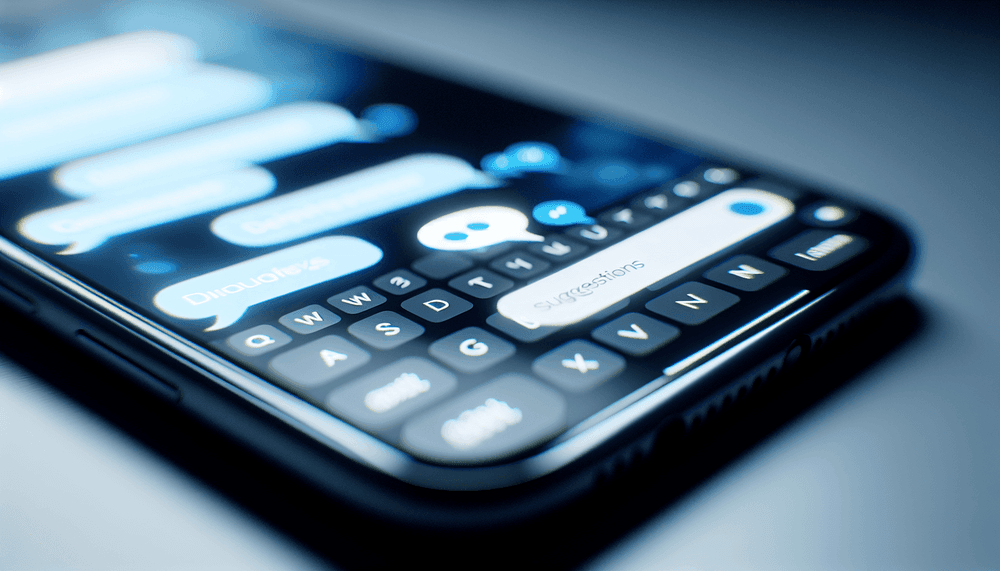
Users can access AI-powered message replies through the standard messaging interface without additional configuration. When receiving messages, three suggested responses appear above the keyboard in a horizontal scroll format. Users can tap any suggestion to send immediately or use suggestions as starting points for longer responses. The AI reply system activates automatically after updating to the latest WhatsApp version and requires no manual enablement.
Photo retouching tools integrate into the existing media sharing workflow. After selecting a photo to share, users access retouching options through an enhanced editing interface that includes new AI-powered adjustment controls. The retouching features require iOS 15.0 or Android 10.0 minimum for optimal performance, with some advanced features limited to devices with dedicated neural processing units.
Dual account setup on iOS requires navigating to Settings > Account > Add Account within the WhatsApp application. Users must provide a second phone number for verification, which can include landline numbers or secondary mobile numbers. Each account maintains separate notification settings, privacy configurations, and backup schedules. Account switching occurs through a profile selector in the main interface, similar to email account switching in mail applications.
Cross-platform chat history transfer initiates through Settings > Chats > Transfer Chats option. The process requires both source and destination devices to be connected to the same Wi-Fi network and running compatible WhatsApp versions. Transfer completion typically requires 15-45 minutes depending on chat history volume and media file quantities. Users should ensure adequate storage space on destination devices before beginning the transfer process, as the system creates temporary encrypted backup files during migration.